
Opera GX positions itself as a browser built for gamers, blending traditional browsing with a suite of features that aim to reduce distraction, manage system resources, and streamline in-game communication and content discovery. Since its initial release, GX has evolved into a platform that emphasizes control, customization, and a curated gaming ecosystem, rather than promising to magically boost FPS. This review examines GX in 2026 through its core components—GX Control, resource limiters, network options, social integrations, GX Mods, GX Corner, built-in privacy tools, and its overall stance when held up against Chrome for gaming workflows.
What Opera GX is trying to be for gamers
Opera GX is a web browser with a game-oriented philosophy. It seeks to minimize the friction between gaming sessions and everyday browsing by offering dedicated controls and a living hub of gaming content. Key features include GX Control (CPU and RAM limiters), a Network Limiter to manage data usage, an integrated VPN and ad blocker for startup and streaming privacy, and social integrations (Discord and Twitch) designed to keep chat and broadcasting flows within reach. The GX Corner hub aggregates news, deals, and release information, while GX Mods, Tab Islands, and Workspaces push customization and tab organization into a gamer-friendly workflow. The intent is to create an environment where a gamer can stay in a gaming flow—chatting with friends, tracking deals, streaming or watching streams, and managing browser tasks—without constantly switching apps or feeling browser overhead.
GX Control and resource-limiters: CPU/RAM management in action
GX Control at a Glance
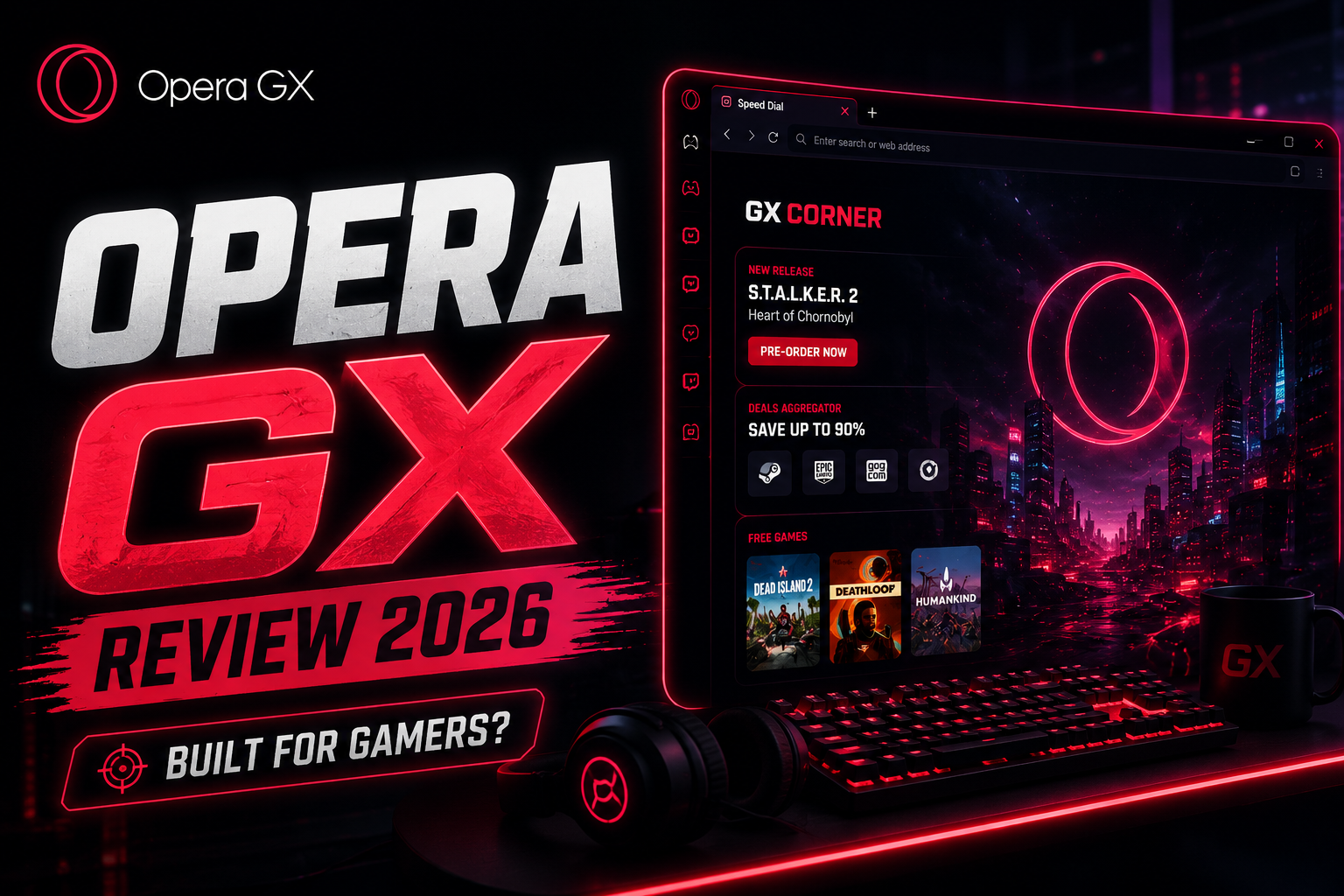
GX Control is Opera GX’s central feature for shaping how much CPU and RAM the browser uses. The built-in limiters exist to constrain browser activity during gaming sessions, which can be valuable on systems with limited headroom or when aiming to minimize browser-induced interruptions during play. The practical effect is that you can cap a portion of CPU cycles or memory usage for the browser, helping to keep gaming resources available for the game itself and other real-time tasks. The official framing emphasizes that these controls are designed to reduce contention rather than accelerate a game directly. In practice, enabling CPU and RAM limiters tends to lead to a more predictable background footprint, especially when running multiple tabs or resource-heavy web apps alongside a game. However, trade-offs include potential slower page loading or increased page reflow when limiters are active, and the absence of quantified benchmarks means users should test their own setups to determine tolerable latency or page responsiveness.
GX Mods, Tab Islands, Workspaces and customization depth
| Detail |
|---|
| GX Mods: interface/behavior tweaks |
| Tab Islands: tab grouping and isolation |
| Workspaces: context separation (gaming, streaming, research) |
| Chrome analogs: profiles, extensions |
GX Mods are a distinctive customization layer that lets users tailor the browser’s look and behavior beyond the default options. Paired with Tab Islands—an organization tool that visually separates tabs into clusters—and Workspaces, GX invites gamers to create distinct contexts for different tasks: one workspace for gaming, one for streaming, another for shopping deals or research. This modular approach helps reduce tab clutter during sessions and can streamline a gamer’s workflow by providing quick access to the right set of tabs and extensions without scrambling through a single, sprawling tab bar. The customization depth is a practical benefit for those who value an orderly, context-driven browsing experience. It’s worth noting that while the features are powerful, they also add complexity; users should invest a little time to configure layouts that fit their typical gaming and multitasking workflows.
Discord, Twitch and other integrations: staying in the flow
| Detail |
|---|
| Discord/Twitch/Messenger/WhatsApp in GX sidebar |
| Benefits: reduced context switching, centralized controls |
| Considerations: potential performance impact with multiple tools active |
Opera GX includes in-browser integrations for Discord and Twitch designed to keep communication and streaming within immediate reach during gaming sessions. Discord integration aims to provide access to chats and server activity without leaving the game, while Twitch features can streamline viewing or following streams related to active games or communities. These integrations can help maintain immersion and reduce the number of separate windows or applications a player needs to manage. However, performance considerations exist: running these integrations inside the browser contributes to overall resource usage, and depending on system load, could introduce additional background activity. The practical takeaway is that these features are most beneficial for players who frequently rely on Discord for voice or text chat and watch Twitch streams during sessions, rather than for users who primarily game in standalone apps.
GX Corner and the gaming hub ecosystem
GX Corner: Practical Usage
- Access via GX sidebar
- Track deals and releases
- Verify device/platform availability claims
- Cross-check with external gaming news sources
GX Corner positions itself as a centralized gaming hub within Opera GX. It aggregates game deals, news, updates, and release calendars, offering a one-stop interface for staying informed about the games a user cares about. The hub’s utility lies in reducing the need to switch between services, potentially saving time and helping gamers discover new titles or sales efficiently. Availability and scope can vary by region and platform, so users should explore GX Corner to confirm it aligns with their preferred storefronts and gaming catalog. For many players, GX Corner functions as a time-saving aggregation layer rather than a game-launching portal.
VPN, ad blocking and privacy basics in GX
GX includes built-in privacy-oriented tools that align with gaming and streaming needs. A built-in VPN can be advantageous for privacy and regional content access, and an integrated ad blocker helps reduce distracting banners and potentially lower page load times on ad-heavy sites. In practice, the VPN and ad blocker contribute to a cleaner browsing experience during sessions, which can be beneficial for streaming or avoiding ad-related interruptions. It’s important to understand that VPNs can affect latency and routing. While Opera positions its VPN as a privacy and accessibility feature rather than a direct speed-for-game claim, players should test ping and stability when connected to different regions, especially for online multiplayer sessions that are sensitive to latency variability.
Network Limiter and practical network considerations
The Network Limiter lets users cap the browser’s network data usage. This can be useful for players who want to allocate more bandwidth to a game or stream, especially on constrained networks or metered connections. In practice, setting a cap can help prevent the browser from saturating a connection during critical online play or downloads. It’s not a substitute for game-specific network optimization, such as prioritizing game traffic on a router or using wired connections, but it provides a browser-level control that can complement broader network-management strategies.
Opera GX vs Chrome for gaming: what changes, what stays the same
Comparing Opera GX to Chrome for gaming-focused use reveals several key differences. Chrome emphasizes speed, broad extension support, and a vast ecosystem, but its resource footprint with multiple tabs and extensions can be higher than a tuned GX setup. GX’s CPU/RAM limiters and Network Limiter offer explicit controls that Chrome does not natively expose, giving GX an edge for users who want to cap browser resource usage during gaming sessions. The Discord, Twitch integrations, and GX Corner are value-adds that circle around the gaming workflow in GX, whereas Chrome relies on third-party apps and extensions for similar capabilities. On privacy, Chrome provides robust security features, but GX adds a bundled VPN and ad blocker that are designed to function out-of-the-box within the same browser. The upshot is that GX can be more predictable in resource usage and more self-contained for a gaming-focused workflow, while Chrome remains a flexible, widely-supported baseline with extensive extension compatibility. The decision often hinges on how much a user values built-in gaming-oriented controls versus a broader extension ecosystem and a possibly lighter in-browser management overhead for non-gaming tasks.
Pros, cons, who should use Opera GX, verdict 2026
Pros:
- Integrated gaming-focused controls (CPU/RAM limiters, Network Limiter) that help manage browser resource usage during gaming sessions.
- Built-in privacy tools (VPN, ad blocker) in a single product, with practical benefits for streaming and online browsing.
- In-browser Discord and Twitch integrations, plus GX Corner for deals and news, offering a consolidated gaming workflow.
- GX Mods, Tab Islands, and Workspaces provide a customizable, multi-context browser environment that can reduce clutter during gaming and research.
- A cohesive gaming ecosystem within a browser, aiming to minimize tab-switching and app-switching during sessions.
Cons:
- The feature set adds complexity and requires user setup to maximize benefits; there are no universal, quantified performance guarantees or FPS improvements.
- Resource limiters can alter page load times or interactivity, and the trade-offs may not suit every gaming scenario or system.
- Built-in VPN may introduce latency variability depending on server location and routing, which matters for online multiplayer gaming.
- GX Corner’s scope and platform availability may vary by region, and reliance on the browser’s ecosystem means users are tied to Opera’s development cadence.
- Chrome offers broader extension compatibility and a larger developer ecosystem, which may be advantageous for users who rely on specific extensions not available in GX.
Who should use Opera GX? The browser is well-suited for gamers who want a more self-contained gaming workflow within a single app, value built-in controls for resource usage, and appreciate an integrated hub for deals, news, and streaming. It’s particularly appealing to players who frequently integrate Discord and Twitch into their sessions, or who benefit from a highly organized tab-management approach. Those who rely heavily on Chrome extensions, require a minimal browser footprint, or prioritize the largest possible extension ecosystem may prefer Chrome or another browser. In short, Opera GX is a practical option for users who want gaming-focused tooling embedded in the browser and are comfortable configuring GX’s features to their preferred workflow.
Verdict 2026
Opera GX remains a distinctive option for gamers seeking an all-in-one browser with gaming-oriented controls, privacy features, and an integrated hub for deals and social streams. Its core strengths lie in resource management via GX Control and limiters, the convenience of in-browser Discord/Twitch integrations, and a customizable workflow through GX Mods, Tab Islands, and Workspaces. The built-in VPN and ad blocker add to a cleaner, privacy-conscious browsing experience that aligns with streaming or online gaming sessions. However, the software’s value depends on how much a user benefits from those integrated features versus the breadth of Chrome’s extension ecosystem and cross-platform compatibility. If your gaming workflow emphasizes staying in one browser for chat, stream, and gaming-related content, and you’re willing to configure GX to your needs, Opera GX can offer meaningful workflow advantages without promising universal FPS gains.