
Promo codes, starter packs, and rewards can feel like simple money-saving shortcuts for gamers. But in 2026, many offers are region-locked or tied to specific account settings. That means a code that works for one player might not work for another, even if they’re playing the same title on the same platform. The rules aren’t universal: publishers set terms by country, platform, and account region, and those terms can change. This guide helps you identify common restrictions, check official terms, and follow a practical troubleshooting flow so you waste less time chasing an unusable code.
What is a region-locked promo code and why it matters
A region-locked promo code is one that can be redeemed only by players who meet specific geographic or account-based criteria. This isn’t a universal unlock for every market; it’s a tailored offer that may depend on your country, your platform, or the region tied to your game account. Because publishers manage regional availability to align with local pricing, currencies, legal requirements, and partner promotions, the same code may be valid in one country and not in another. Region-locked codes can affect everything from in-game currency to gear, DLC, or early access packs. Expect variability across platforms (PC, consoles, mobile) and across publishers. Respawn Daily tracks reward availability and eligibility where possible, but publishers can change these rules at any time, so conditions you see today might shift tomorrow.
Country and GEO restrictions you’re likely to encounter
| Detail |
|---|
| Country/region |
| Can redeem balance (yes/no) |
| Store region impact |
| Notes on transfers or temporary changes |
GEO restrictions typically hinge on country or store region settings. Here are common scenarios you might run into, without listing any specific codes or dates:
- Store region matters: Digital storefronts (Steam, PlayStation Store, Xbox Store, mobile app stores) are region-based. A promo code may be tied to a country or region code rather than a language setting, and regional pricing can influence eligibility.
- Currency and tax rules: Some offers are only valid in regions where the publisher has a particular distribution agreement or tax status. If your account or store region differs, you may see an ineligibility message.
- Regional promotions vs. global moments: A campaign might be designed for a specific geographic market or announced during a regional partnership. Even if you can see the promo, redemption can require being in a supported country.
- Account legacy: If you previously created an account in a different country or migrated your account, some offers may follow the original region rather than the current one.
Platform restrictions across PC, PlayStation, Xbox and mobile
| Detail |
|---|
| PC storefronts (Steam/Epic) regional entitlement |
| PlayStation: PSN/account region vs. store region |
| Xbox: Xbox Live/account region vs. store region |
| Mobile: Google Play/App Store country ties to balance/rewards |
Different ecosystems enforce their own region and eligibility constraints. Here’s how platform dynamics can affect promo codes and rewards:
- PC (Steam, Epic, or publisher launchers): Codes may be restricted by country or by whether you’re using a Steam region that matches the offer. Some PC promotions require ownership of a title in a specific region or a linked account from that region.
- PlayStation: The PSN account region, the console’s language, and the PS Store region can all influence eligibility. Codes might be valid only if your PSN country aligns with the promo’s targeted market.
- Xbox: Xbox Live account region and console region settings can block redemption. Some offers require an Xbox Live Gold/Game Pass status or a tied account region.
- Mobile: App store regions (iOS/Android) determine eligibility. In-app rewards or codes often require the device’s store region to match the offer, and some codes are only redeemable within certain countries.
Account-region and eligibility rules
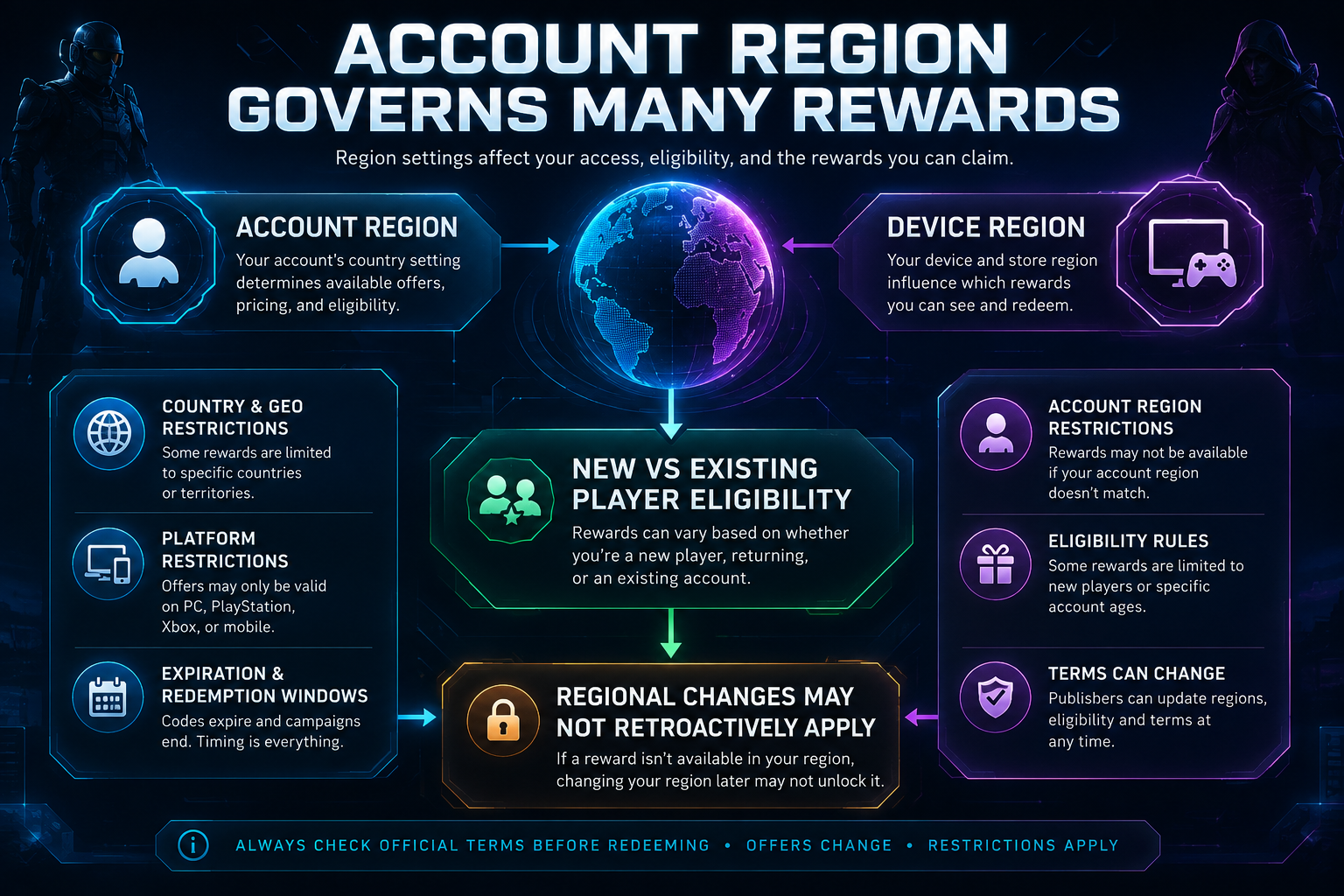
The region tied to your user account often governs whether a code is redeemable. Even if you share hardware or a family account, the region attached to the account matters more than the device you’re using. Publishers may also differentiate between new players and existing players, offering welcome bonuses or starter packs to newcomers while restricting those rewards for existing users. Some programs are designed to build onboarding momentum and may exclude players who already claimed a similar offer in the past. Always verify whether the code requires a fresh account, a clean status, or ongoing eligibility checks tied to your profile.
Account vs. Device Region Mismatch
New-player vs existing-player eligibility
Eligibility for promotions often has a clear demarcation between new and existing players. New-player offers may require creating a new account or meeting criteria that indicate you haven’t claimed a comparable reward before. Existing-player offers can be limited to players who have an active subscription, a minimum play time, or a certain account age. These distinctions are designed to prevent double-dipping or the reuse of rewards across multiple accounts. If you’re unsure which category you fall into, check the official terms for the specific promotion and review any on-page conditions or eligibility notes.
Before You Redeem: Time-Sensitive Checks
- Verify current expiration date
- Check region and platform-specific windows
- Confirm store region vs. account region
- Review official terms page
Campaign expiration and limited redemption windows
Promotions are often time-bound and regionally scoped. A campaign’s official terms will specify redemption windows, regional eligibility, and any expiration dates. Even if a code is visible in marketing materials, it can become invalid once the campaign ends or if regional constraints shift due to licensing or store policy changes. Always confirm the exact window and geography in the official terms before attempting redemption. Respawn Daily notes that reward availability and eligibility can change; when a publisher updates regional rules or ends a campaign, previously valid codes may cease to work.
Why a code may work for one player but not another
Several practical reasons explain this discrepancy: the user’s account region differs from the code’s intended region; the platform store region doesn’t match the offer’s target territory; the user is in a new vs. existing-player eligibility window; the campaign has a restricted redemption period; or the user is on a device or OS version not supported by the promotion. A single code can be valid for one account in a particular country and invalid for another account in the same country if the latter account fails an eligibility criterion. Always cross-check the official terms for your exact configuration.
How to check official terms before redeeming
Before typing any code, verify the promotion’s legitimacy and scope. Use these steps to check official terms and avoid wasted attempts:
- Locate the official promotion page on the publisher’s site or the game’s dedicated rewards hub.
- Note the eligible countries or regions and whether the offer is tied to a store region or account region.
- Check platform-specific redemption instructions (PC, PlayStation, Xbox, mobile).
- Confirm whether new players, existing players, or specific account statuses are required.
- Observe the campaign’s start and end dates and any regional blackout periods.
- Review any limitations on the number of redemptions per account or per household.
Common redemption error messages and what they usually mean
Error messages are often generic; the underlying cause is usually regional or eligibility-based. Common categories include: region mismatch, account region not eligible, product not available in your store, code already redeemed, or code not valid for your platform. If you see a message, don’t assume it’s a universal failure—check the official terms for the specific offer and your exact account configuration. If an error seems ambiguous, proceed through the troubleshooting flow below to confirm where the restriction lies.
Safe troubleshooting steps
When you run into a region-locked code, follow a safe, methodical approach rather than trying hacks or third-party tools. These steps help verify eligibility while keeping your account secure.
- Review the official terms for the promo and note the exact country/region, platform, and eligibility rules.
- Confirm your account region and store region match the promotion’s requirements.
- Ensure you’re using the official redemption method (website, in-game store, or launcher) specified by the publisher.
- Check if you’re within the campaign’s valid window and that the code hasn’t expired.
- Re-check the spelling, capitalization, and any hyphens or special characters in the code.
- If you’re redeeming on a console, ensure you’re signed into the correct account and the console’s region matches the offer.
Why players should avoid fake code generators and unofficial redemption tools
There are tempting tools that promise instant codes, but they violate terms of service and endanger your account. Fake generators can lead to account suspensions, malware exposure, or the loss of purchased items. Official channels exist to protect your purchases and ensure codes are redeemed in compliance with regional and platform policies. Stick to publisher-backed redemption portals, official game pages, and the store’s own redemption flow. If a deal looks too good to be true, it probably is.
Practical troubleshooting flow (actionable checklist)
Use this step-by-step flow to diagnose and reconcile region-locked codes, with a clear escalation path:
- 1) Confirm the code is still active: Verify the promotion’s current status and that the code hasn’t been deactivated or expired.
- 2) Check supported countries: Ensure your country or store region is among the eligible regions listed by the publisher.
- 3) Check the supported platform: Confirm the offer is valid for your platform (PC, PlayStation, Xbox, or mobile) and that you’re using the correct redemption flow.
- 4) Check account eligibility: Determine whether your account is considered new or existing, and if any other eligibility conditions apply (e.g., subscriptions, minimum playtime).
- 5) Confirm spelling and capitalization: Codes are often case-sensitive and may include hyphens or digits—enter exactly as shown.
- 6) Use the official redemption method: Redeem via the publisher’s official site, game launcher, or store redemption flow, not third-party tools.
- 7) Contact official game support if necessary: If you’ve verified all criteria and the code still fails, reach out to the publisher’s support with your account region, platform, and the exact error message.
Respawn Daily: how we handle rewards, availability, and regional rules
Respawn Daily tracks reward availability and eligibility where possible and regularly reviews publisher terms. However, publishers can change regional restrictions, eligibility requirements, and expiration dates at any time. If you hit a block, check official terms and the publisher’s support channels for the most current guidance. Respawn Daily’s coverage, Guides, Deals, and game promo-code pages can be useful references to understand regional patterns and what to look for before redeeming.
FAQ block
Closing note on regional eligibility and ongoing changes
Region-locked promos reflect real-world licensing, regional pricing, and platform ecosystems. The rules aren’t static; publishers may adjust regions, eligibility windows, and expiration dates. By checking official terms, following a careful troubleshooting flow, and using only trusted redemption channels, you’ll minimize frustration and protect your account. For ongoing insights, explore Respawn Daily Rewards, Deals, Guides, and the game promo-code pages to understand current patterns and where to look for legitimate offers.